
Star it on GitHub

Stay informed without staying online.

Readspace brings the publications, writers, and newsletters you choose into one calm feed — then turns each day into a five-minute briefing.

Start reading for free
iOS Android Web app Chrome Firefox
app.readspace.ai
The Readspace web app showing Your feed, with the sidebar, article list, and an open article in the reader pane
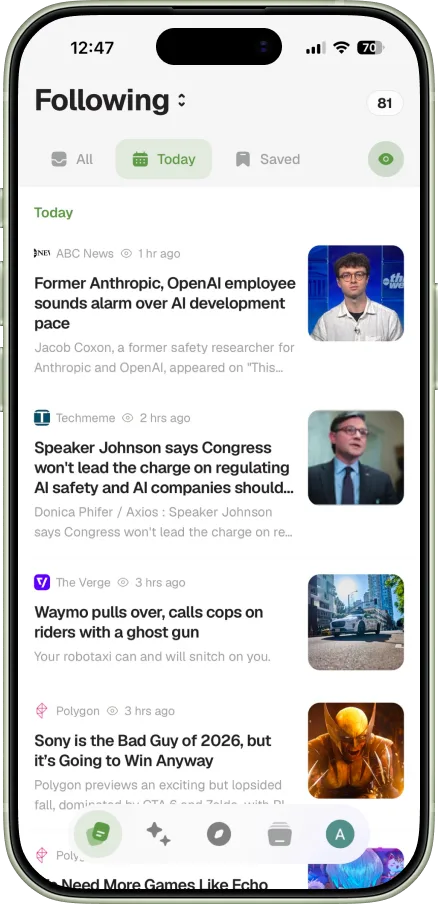
The Readspace iOS app showing Your feed
app.readspace.ai
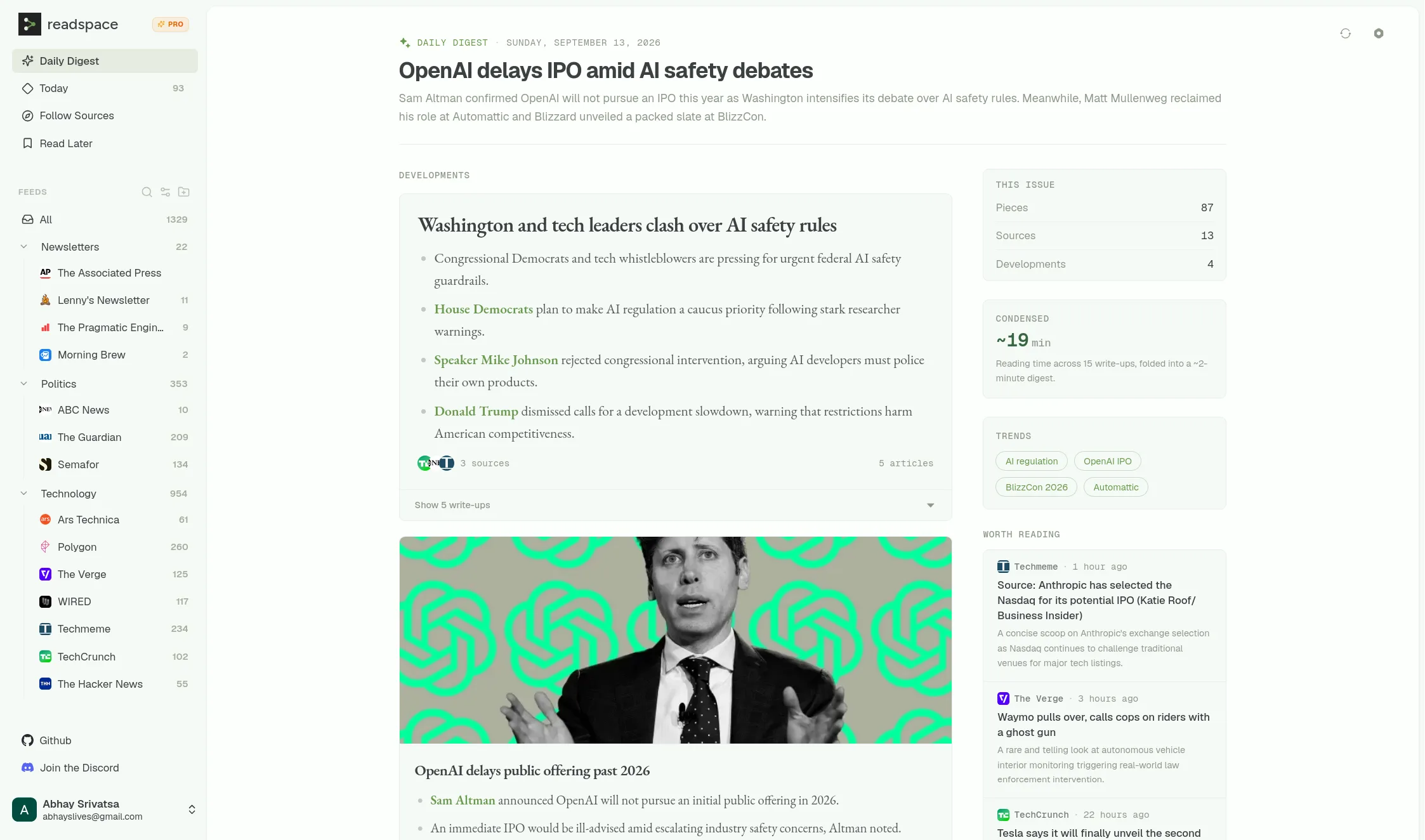
The Readspace web app showing the Daily Digest, with sidebar, developments, and worth-reading sidebar
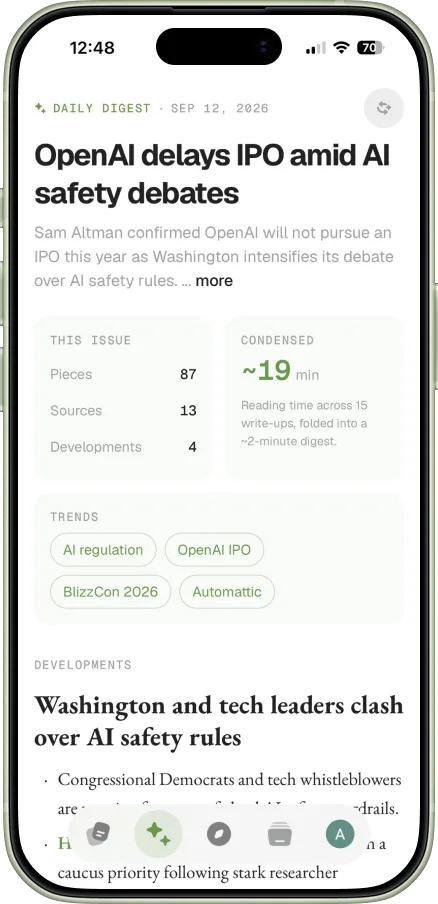
The Readspace iOS app showing the Daily Digest
The problem

Following the internet shouldn’t be a full-time job.

Newsletters pile up. Blogs get forgotten. Articles scatter across tabs, bookmarks, and inboxes. There’s always something else waiting.

Keeping up shouldn’t mean reading everything.

You just need to know what mattered, what’s worth your time, and what can wait.

Daily Digest

Everything that mattered. Five minutes.

What mattered across your sources, plus what's worth reading next. Catch up over coffee, then move on.

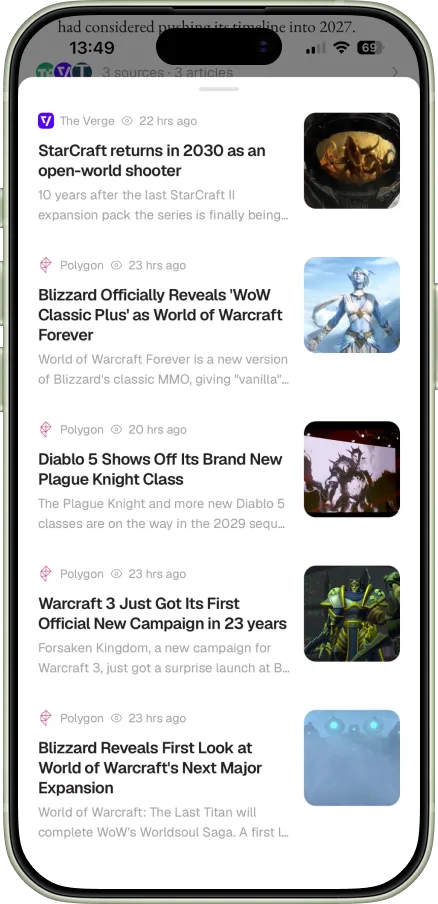
Five separate articles from different sources, all covering the same Blizzard news
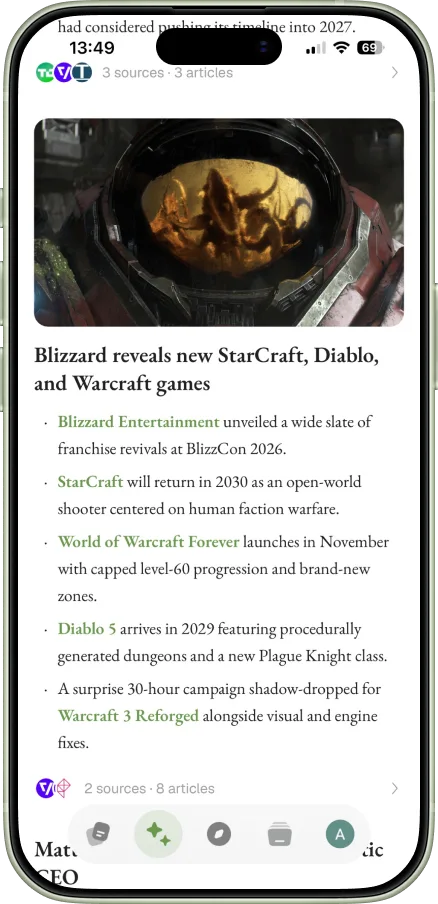
The same story condensed into a single card in your Daily Digest, linking back to every source

Nothing enters your feed unless you follow it.

You choose what you follow. Readspace brings it together in one chronological feed — no recommendations, no engagement ranking, nothing quietly added.

Discovery

Find the sources you already care about.

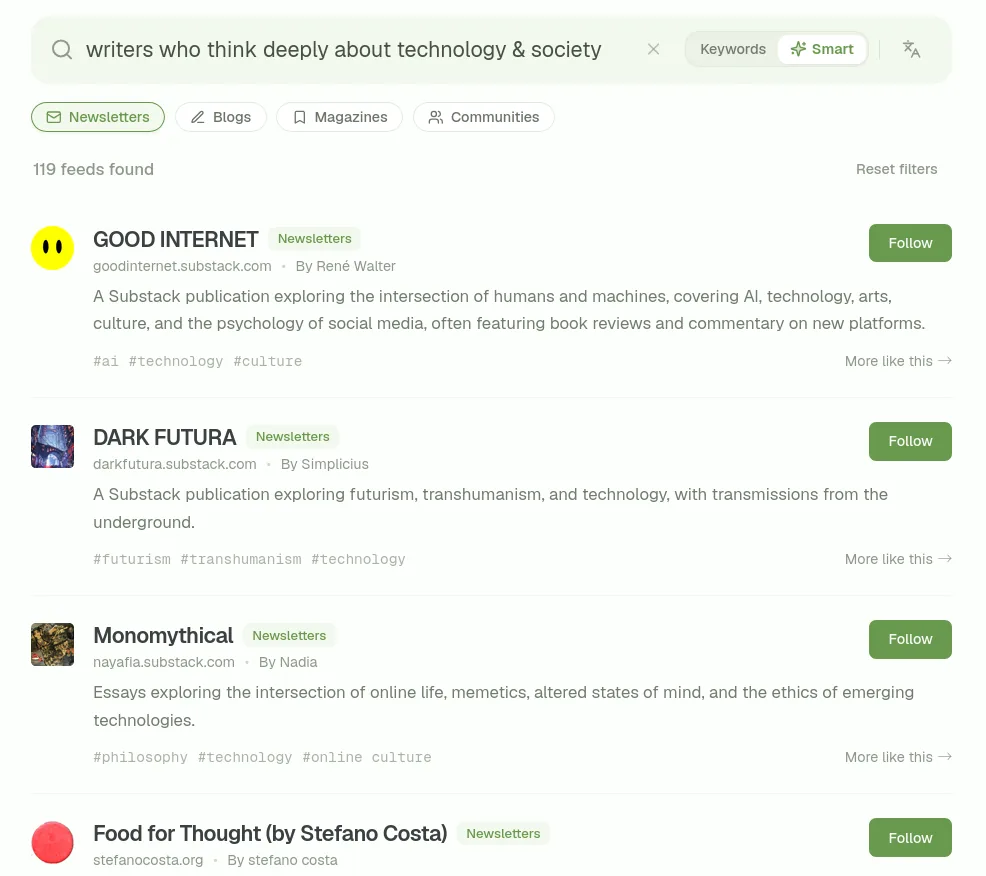
Search more than 120,000 publications, blogs, and writers, paste a website, or import your subscriptions from another reader. Follow what you want; ignore the rest.

BBC News
WSJ
The Guardian
NPR
CNBC
ESPN
TechCrunch
The Verge
Ars Technica
The Economist
WIRED
Fortune
Financial Times
CBS
The Atlantic
Vogue
Nature
Hacker News
Readspace
R
0 feeds indexed
Search for a website or paste RSS link
News & Politics Software Engineering Tech & Digital Business & Finance Science & Nature Sports Gaming Entertainment Society & History Arts & Culture Travel Food & Drink Health & Wellness Style & Shopping Home & Hobbies Family & Relationships Identity & Community Industry & Professions Automotive Regional & Local
Follow it from the page you're on
Found a writer worth hearing from again? The browser extension finds the feed for you — no hunting for an RSS link.
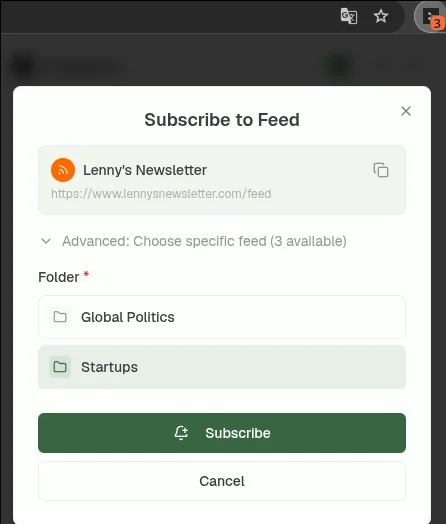
The Readspace browser extension's Subscribe to Feed dialog, detected automatically from the current page
Already use RSS?
Bring every subscription across with an OPML file — and export yours the same way, any time.
feedly-export.opml
214 feeds
Tech
The Verge
Stratechery
Ars Technica
Politics
The Guardian
The Economist
Culture
The Atlantic
WIRED
Ideas
Noahpinion
Craig Mod
+ 205 more across 12 folders
Read later

Save anything. Read it when you actually have time.

A long essay, a newsletter, something you stumbled on halfway through the day. Save it to readspace instead of another bookmark folder.
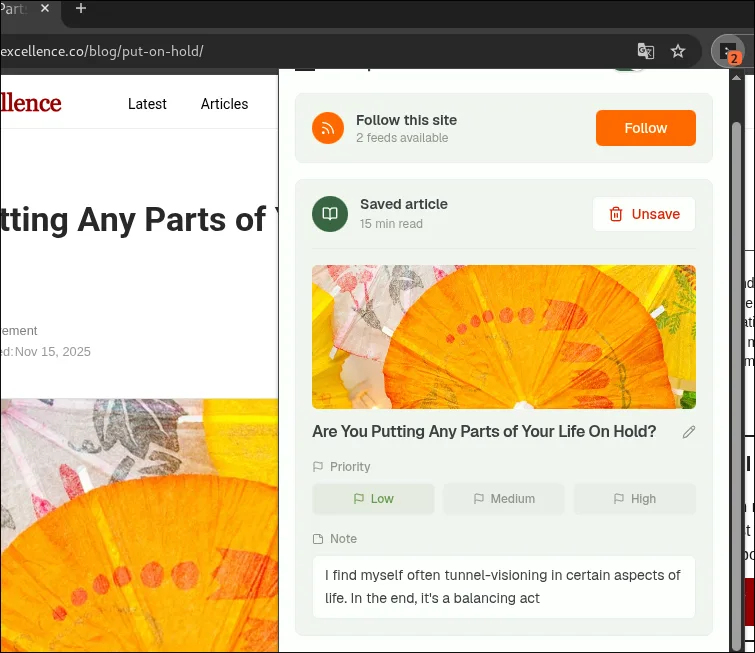
Save from anywhere. Read anywhere.

Saving an article to Readspace from the browser extension, with a reading priority and a note
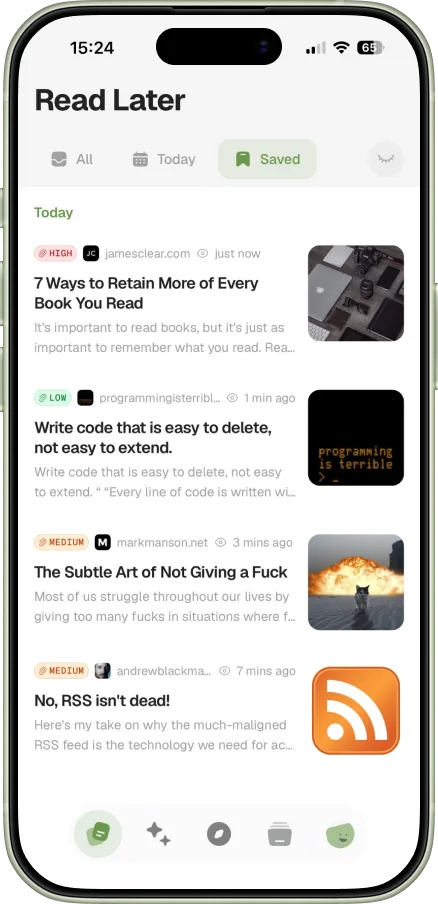
Saved articles in the Readspace iOS app, shown on an iPhone
Reader

When you do read, just read.

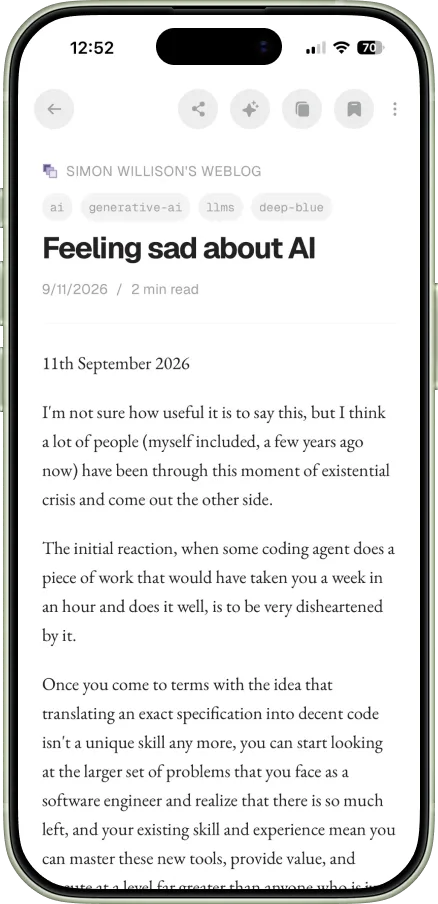
Open articles in a clean reading view inside Readspace, without the usual page clutter getting in the way.
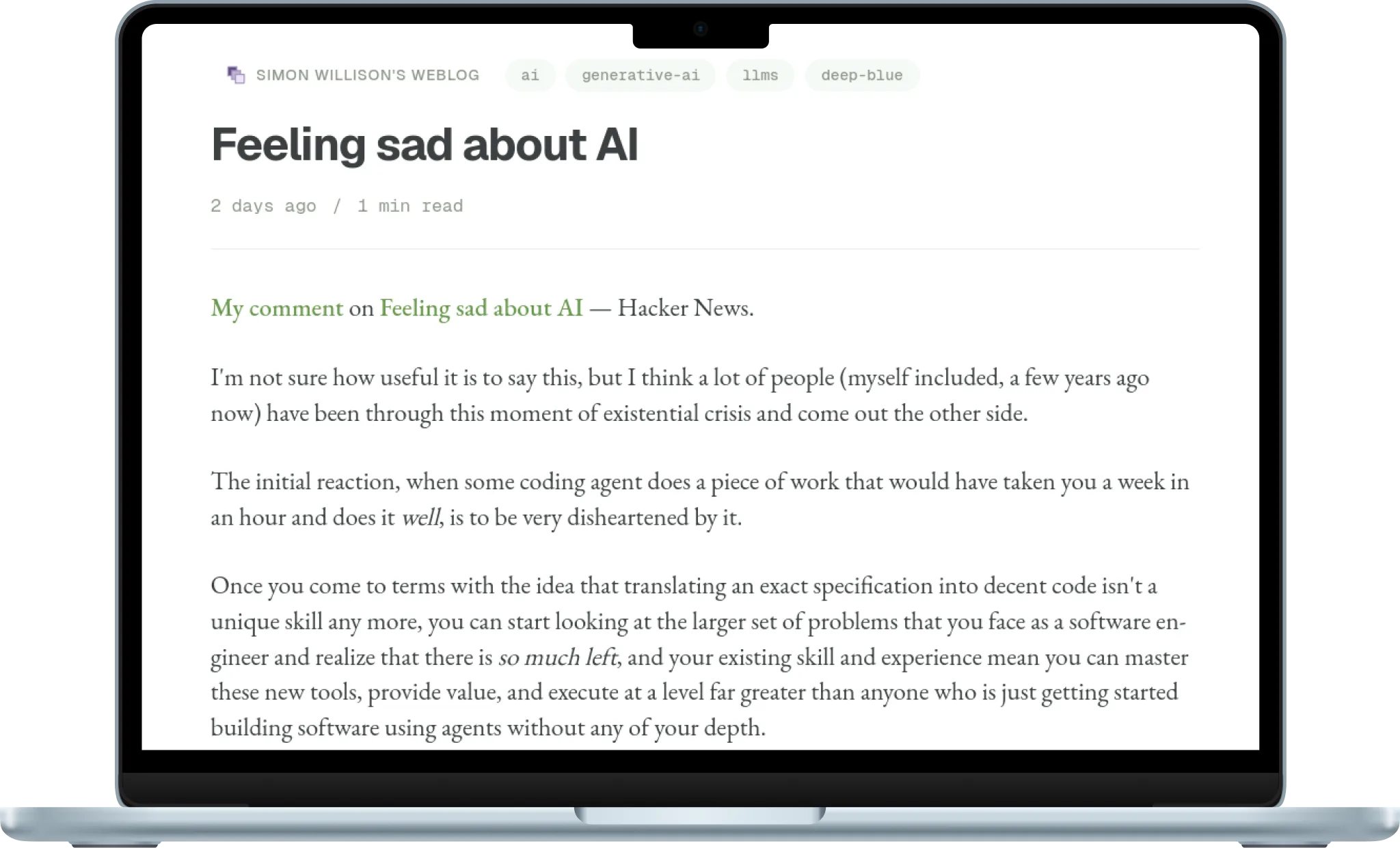
An article open in the Readspace reader view, shown on a MacBook
An article open in the Readspace iOS reader view, shown on an iPhone

Read the whole thing. Or just the gist.

Get the gist
Understand the important points without reading the whole article.
Summary · 3 points
Independent publishing is cheaper and more durable than it was a decade ago.
The feed is the only part of the old web that never stopped working.
Platform exits are now taking audiences with them, not losing them.
Find what matters
Surface the key parts without digging through the entire piece.

The mechanics are unglamorous: a domain, a static site, and a feed. The feed is the only piece of the old web that never stopped working.

Independent publishing is cheaper and more durable than it was, and the tools finally assume you own the output.

Read it in your language
Translate articles without leaving readspace.
ENES
The mechanics are unglamorous: a domain, a static site, and a feed.
La mecánica no tiene nada de glamuroso: un dominio, un sitio estático y un feed.
Newsletters

Your newsletters finally have a home.

No more hunting through Gmail for the issue you meant to read — newsletters show up in your feed, right alongside everything else you follow.

Newsletter Ingestion
Subscribe to mailing lists directly using your private email alias.
1
Copy your private email address
you.a1b2c3d4@newsletters.readspace.ai
2
Subscribe on any website
Paste this private email address in the subscription form of Substack, Mailchimp, or any other publication.
3
Read in Readspace
The first email received will automatically create the feed and place it in your Newsletters folder.
(

Philosophy

)

Keeping up had turned into checking the same apps throughout the day and hoping the important things would surface. We wanted one dependable place for the sources we had intentionally chosen — and a way to catch up without processing every article.

Readspace is built around a different measure of success: not how long you stay, but whether you can understand what changed and confidently move on.

— Readspace Read the full manifesto
Open source

Your subscriptions aren’t trapped here.

Import and export your source list using an open format, any time. Readspace is open source, and technical users can run the whole platform on their own server.

Self-hosting instructions
Pricing

Start free. Pay when Readspace saves you more time.

Three ways to run readspace — pick the one that matches how you read.

Basic
$0
For trying it out.
10 feeds
Save up to 50 articles at a time
5 AI interactions per day
5 article extractions / scrapes per day
3 Daily Digests a month
Search across 120k+ sources
Web app & browser extension — iOS and Android coming soon
Self-hosted
$0forever
For complete control.
No usage limits
Bring your own API key
Use your own server
Extension and mobile apps supported
Fully open source
Source database will be empty
FAQ

Questions, answered plainly.

Why use Readspace if social media already keeps me informed?
Social media is good at showing you what everyone is reacting to. It is much worse at helping you reliably follow the specific publications, blogs, and writers you care about: their work gets buried, original reporting becomes screenshots and reactions, and the feed never really ends. Readspace gives those sources a dependable home. Every new piece arrives in one clean feed, while the Daily Digest connects the day's developments and surfaces articles worth reading. You still get the convenience — except you choose the inputs and can actually finish.
Is Readspace for people who want to quit social media?
No. Readspace is for anyone who wants news, analysis, and good writing to have their own place instead of being mixed into entertainment and conversation. Keep social media for what you enjoy; use Readspace for the sources you do not want to miss.
What if I don't have time to scroll through my feed?
Open the Daily Digest instead. It summarizes the main developments across your sources and picks out a few "Worth reading" articles for later. When you have time, the complete feed is there. When you don't, you can catch up in about five minutes.
Who decides what goes into my Daily Digest?
The Digest works only with what your chosen sources published during that period. It finds the main developments and standout articles, then links everything back to the original sources. It does not pull stories from publications you never followed.
Why not use Google News, Perplexity, or another AI news app?
Those services build a news universe for you. Readspace lets you build your own — and keep it. Follow any mix of major publications, independent writers, blogs, and niche sources, then get a complete chronological feed and a Digest built only from them. Readspace is also open source, privacy-focused, exportable, and self-hostable if you want complete control.
Do I have to use the AI features?
No. You can use the chronological feed, saved library, newsletters, and clean reader without asking AI to summarize anything. On a self-hosted instance, you can disable the AI features completely.
What is RSS, and how does Readspace use it?
RSS is an open way for websites to publish their latest posts for other apps to follow. When you visit a site, the Readspace browser extension looks for its RSS feed and lets you follow it directly. If the site does not publish one, Readspace may not be able to follow it.
How does Readspace protect my privacy?
Privacy is a core part of Readspace, not an extra feature. There are no ads or trackers on your reading, and we do not sell your reading activity or use it to target you. Readspace is also open source, and you can self-host it if you want your data under your own control.
Why does Readspace have a paid plan?
Readspace is built and maintained by one independent developer. Running it still costs real money: hosting, storage, updating feeds, AI tokens. Pro helps cover those costs and funds the time it takes to keep improving Readspace.
Still wondering something? Ask in the GitHub discussions.